How to choose an app to hide images | Comparison points for people who want to hide faces, text, and addresses
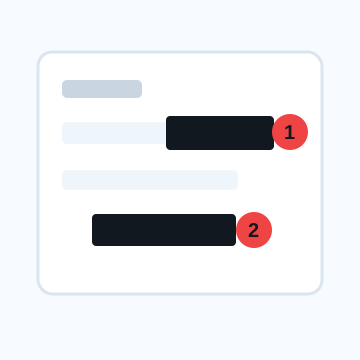
When choosing an app to hide images, choose one based on your purpose: ``I want to hide my face,'' ``I want to hide text,'' or ``I want to check everything before posting on SNS.'' The ability to create mosaics may not be enough to safely hide addresses or QR codes.
4 criteria for choosing an app to hide images
If you want to hide your face, is there a range specification or automatic detection?
If you want to hide multiple faces in a group photo, tools that can automatically detect faces or specify ranges are useful. However, since automatic detection may miss something, the last thing to do is to check visually.
If you want to hide the text, can you put an opaque cover on it?
If you want to hide names, addresses, notifications, and QR codes, it is important to be able to use shapes and fills in addition to blurring. Check whether the transparency can be set to 100% and whether the hidden parts remain after exporting.
Are the standard functions of iPhone/Android sufficient?
If you only want to place lines or shapes in a few places on a single screenshot, standard markup may be sufficient. If you want to do mosaic processing or process multiple images at once, a dedicated app, browser, or PC tool is suitable.
Check the conditions of the free app
Even if it is written as "free", there may be conditions regarding the number of saves, advertisements, watermarks, export size, and number of AI functions. Check for watermarks and image quality degradation, especially on images before sharing.
Processing that hides stylishly and processing that hides personal information are different.
Processing such as hiding the eyes and mouth with stamps or creating cute mosaics are often used on SNS. However, if you want to avoid identifying individuals, it is necessary to check their background, clothing, name tag, and location information. It is important not to treat visibility processing and privacy processing as the same thing.
What to check after using How to choose an app to hide images
The main risk is leaving a small edge of text, a number, or a code visible after editing. When using How to choose an app to hide images, make the edited area slightly larger than the target and open the exported file once before posting.
When using How to choose an app to hide images, treat visual softening and redaction as separate jobs. For How to choose an app to hide images, blur or mosaic can reduce detail, but sensitive text and codes are easier to check with an opaque cover.
Frequently asked questions
Is the image hiding app free to use?
Basic covers, blurs, and mosaics may be possible with standard apps and free browser tools. Please check the conditions such as number of saves, watermarks, image quality, advertisements, etc. for each tool.
Should I separate apps that hide faces and apps that hide text?
There is a difference between a tool that is strong at automatically detecting faces and a tool that is strong at editing that covers text opaquely. If your goals are mixed, choose a method that makes it easy to check both processes.
Edit an Image
Use Easy Mode for quick hiding, or Advanced Mode for detailed layers, logos, and export settings.